

Introduction
If you’ve come across the term corporate software inspector, chances are you’re dealing with IT security, system management, or software updates in a company environment.
And yeah… it can sound a bit technical at first.
But don’t worry. In this guide, I will explain all this in simple English, what it is, how it works and why tools like flexera corporate software inspector agent, secunia corporate software inspector and corporate software inspector agent are significant.
We can take it step by step.
What is Corporate Software Inspector?
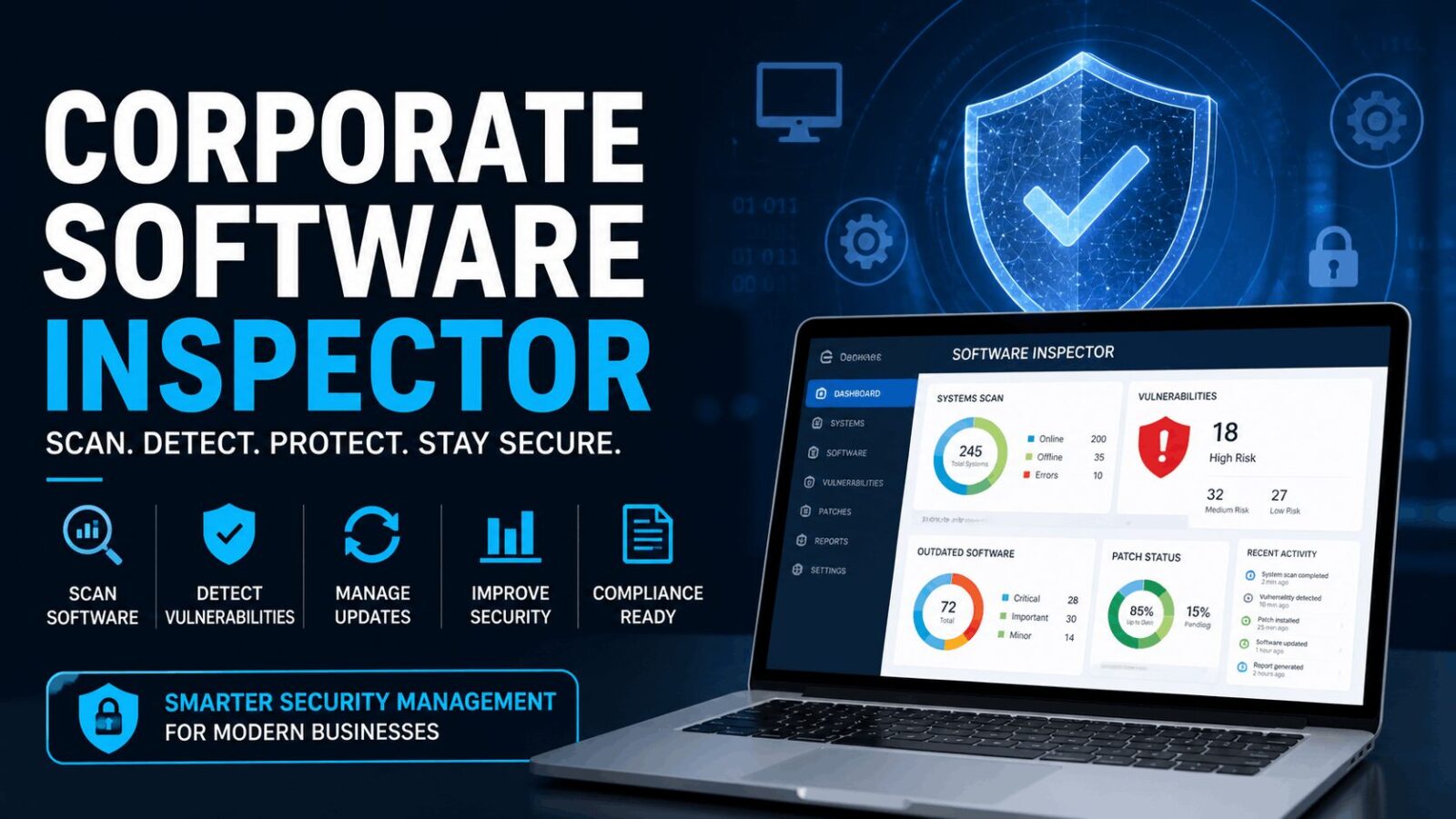
A corporate software inspector is a tool used by companies to monitor, scan, and update software across multiple systems.
Its main job is simple:
Find security risks and outdated software… and fix them.
What it does
- Scans installed software
- Detects vulnerabilities
- Identifies outdated programs
- Helps apply security patches
- Improves system safety
So instead of checking every computer manually, this tool automates the process.
Why Companies Need Corporate Software Inspector
In a company, there can be:
- Hundreds of computers
- Dozens of software programs
- Multiple versions of applications
Managing all that manually? Almost impossible.
Key reasons to use it
- Prevent cyber attacks
- Keep software updated
- Save time for IT teams
- Improve compliance
- Reduce risks
To be frank, in the absence of such tools, the security is highly undermined.
What is Secunia Corporate Software Inspector?
Let’s talk about secunia corporate software inspector.
Secunia originally developed this tool before it became part of Flexera.
Simple explanation
It is a vulnerability management tool that:
- Scans systems for outdated software
- Detects security flaws
- Provides patching solutions
Why it was popular
- Easy to use
- Reliable scanning
- Strong database of vulnerabilities
Even today, its legacy continues in modern tools.
Flexera Corporate Software Inspector Agent Explained
Now let’s move to flexera corporate software inspector agent.
After acquiring Secunia, Flexera improved and expanded the tool.
What is the agent?
The corporate software inspector agent is a small program installed on company devices.
What it does
- Scans local software
- Sends data to central system
- Detects vulnerabilities
- Helps apply updates
Why the agent matters
Without the agent:
- Systems can’t be monitored individually
- Data won’t be collected properly
- Security gaps increase
So the agent is the “eyes and ears” of the system.
How Corporate Software Inspector Works (Step-by-Step)
Let’s simplify the process.
1: Install the agent
The corporate software inspector agent is installed on all company devices.
2: Scan systems
The agent scans:
- Installed software
- Versions
- Security status
3: Detect vulnerabilities
The system checks for:
- Known security flaws
- Missing patches
- Outdated programs
4: Report findings
All data is sent to a central dashboard.
5: Apply patches
IT teams can:
- Update software
- Fix vulnerabilities
- Improve security
6: Continuous monitoring
The process repeats regularly.
Key Features of Corporate Software Inspector
Here are the main features:
1. Automated scanning
No need to check systems manually.
2. Vulnerability detection
Finds security risks quickly.
3. Patch management
Helps install updates easily.
4. Central dashboard
View all systems in one place.
5. Reporting tools
Produce audit and compliance reports.
Comparison: Secunia vs Flexera Tools
| Feature | Secunia Corporate Software Inspector | Flexera Corporate Software Inspector |
|---|---|---|
| Developer | Secunia | Flexera |
| Technology | Older system | Modern system |
| Features | Basic scanning | Advanced features |
| Integration | Limited | Strong integration |
| Support | Discontinued | Active support |
Benefits of Using Corporate Software Inspector
Let’s look at real advantages.
1. Improved security
Discover and remediate vulnerabilities in advance of attackers.
2. Time saving
Automation reduces manual work.
3. Better compliance
Helps meet industry regulations.
4. Central control
Manage all devices from one system.
5. Reduced downtime
Fix problems before it becomes serious.
Challenges and Limitations
Nothing is perfect.
1. Cost
Enterprise tools can be expensive.
2. Setup complexity
Initial setup may take time.
3. Learning curve
IT teams need training.
4. Dependency on agents
If agents fail, monitoring stops.
Best Practices for Using Corporate Software Inspector
If you want the best results:
1. Keep agents updated
Always use the latest version.
2. Schedule regular scans
It is best to scan it on a daily or weekly basis.
3. Prioritize critical vulnerabilities
Prioritize fixing high-risk problems.
4. Monitor reports regularly
Don’t ignore alerts.
5. Train IT staff
Make sure your team understands the system.
Who Should Use Corporate Software Inspector?
This tool is useful for:
- Large companies
- IT departments
- Security teams
- Managed service providers
Small businesses can use it too, but may choose simpler tools.
Real-World Use Case
Suppose that there is a company having 200 computers.
Without a corporate software inspector:
- Updates are missed
- Security risks increase
- IT workload becomes huge
With the tool:
- All systems are monitored
- Updates are automated
- Risks are reduced
Big difference.
FAQs About Corporate Software Inspector
What is corporate software inspector?
It is a tool used to scan, monitor, and update software across company systems.
What is secunia corporate software inspector?
It is an older vulnerability scanning tool developed by Secunia.
What is flexera corporate software inspector agent?
It is a program installed on devices to scan software and report vulnerabilities to Flexera systems.
What does corporate software inspector agent do?
It performs a scan of the local systems, identifies vulnerabilities, and transmits the data to be analyzed.
What is the reason?
It assists in safeguarding systems against threats to system security and maintaining software.
Conclusion
So yeah… corporate software inspector might sound technical, but it’s actually a very practical tool.
From secunia corporate software inspector to flexera corporate software inspector agent, the goal is the same:
Maintain systems in place, up-to-date, and under control.
In modern society, where cyber-attacks are on the rise, these kinds of tools are no longer a luxury.
They’re essential.
And honestly… if a company cares about security, it should definitely be using one.